Oct 27, 2026Guide d'achat
Amazon Hazmat : commencez par l'étiquette batterie
Les blocages Hazmat viennent de données batterie incohérentes avec la SDS. Six contrôles, une fiche mAh vers Wh et un tableau des modèles à réutiliser.
Our C2 product page gives its battery as 4500 mAh, and an Amazon listing asks for watt-hours. Fill every battery field from the battery label and the SDS, never from a spec sheet or a sister model's template, and you remove the mismatch that stalls a hazmat review.
Why is a pool robot listing held for hazmat review?
Because to Amazon it's a lithium battery with a cleaning machine built around it. Amazon reviews products that contain lithium batteries as possible dangerous goods before they can be stored in or shipped from its fulfillment centers. The review draws on two sources, the battery fields on your listing and the documents uploaded for the product. If they agree, there's little to question. If the listing says one thing and the SDS another, the review stops and asks.
1. Lock the factory model and battery model first
Do this before anyone opens a listing template. A listing copied from a sister pool robot brings that model's battery details along, and the review then compares them with documents for a different pack. Check that the battery model printed on your sample's pack matches the SDS and the UN38.3 test summary. A new housing color or new artwork leaves the battery alone; a new battery, even at the same capacity, means new documents and a fresh look at every field.
2. Convert mAh to watt-hours with the label voltage
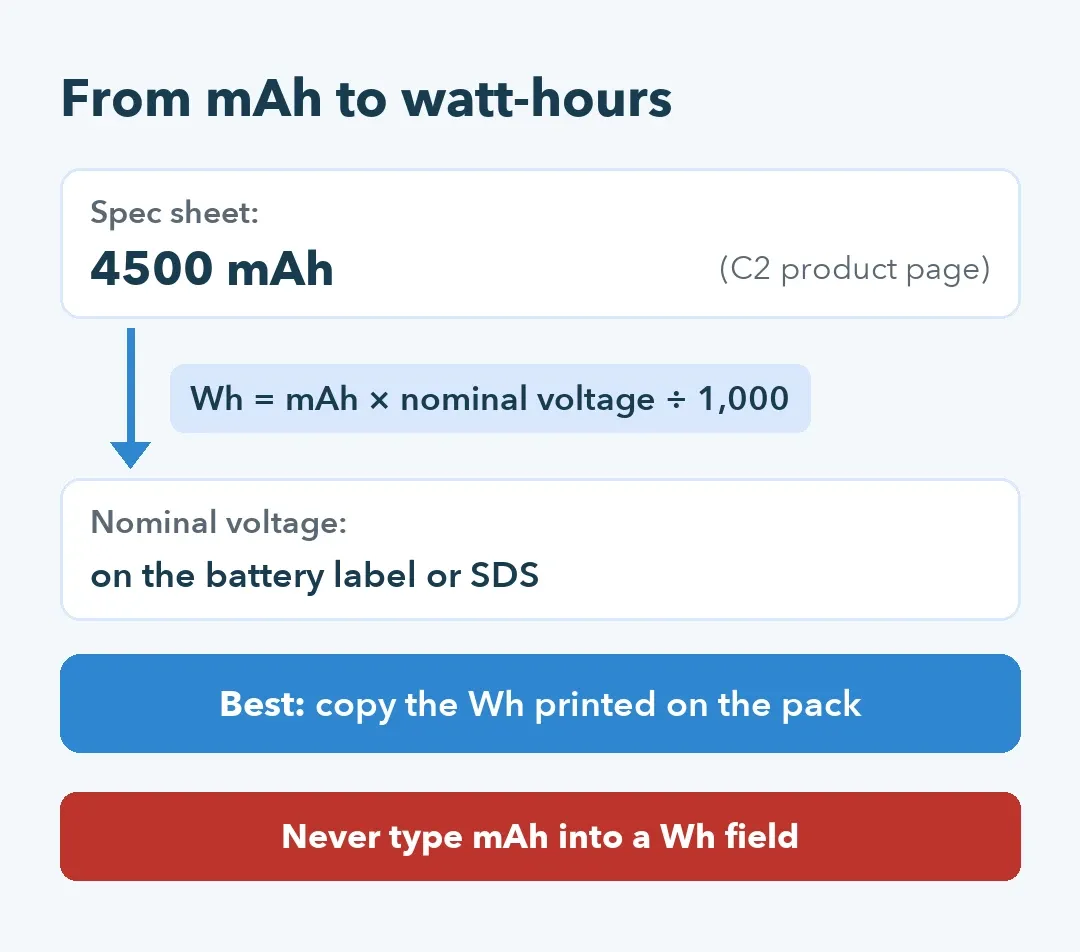
The energy field wants watt-hours (Wh), while spec sheets and our product pages show milliamp-hours. The conversion is mAh × nominal voltage ÷ 1,000, and the nominal voltage is printed on the battery label and stated in the SDS. Better still, copy the Wh rating printed on the pack and confirm it against the SDS.
Type 4500 into a Wh field and you've built a mismatch before the review starts.
3. Pick the right packing option
Battery fields also ask how the battery travels: contained in the product, packed with it in the same box, or sold on its own. A pool robot with its battery fitted inside is contained in equipment. A spare pack in its own box is a battery on its own, with a different classification and its own listing. Check the option against how the robot really ships: battery installed, nothing loose in the box.
4. Upload the SDS for that exact battery
Amazon's review asks for a safety data sheet for the battery; MSDS is the older name for the same document. We provide UN38.3 test reports and MSDS for the batteries in our pool robots. Before you upload, read the battery model on the sheet against the pack in your carton, and keep the UN38.3 test summary in the same folder in case the review asks for it.
5. Keep a three-column model map
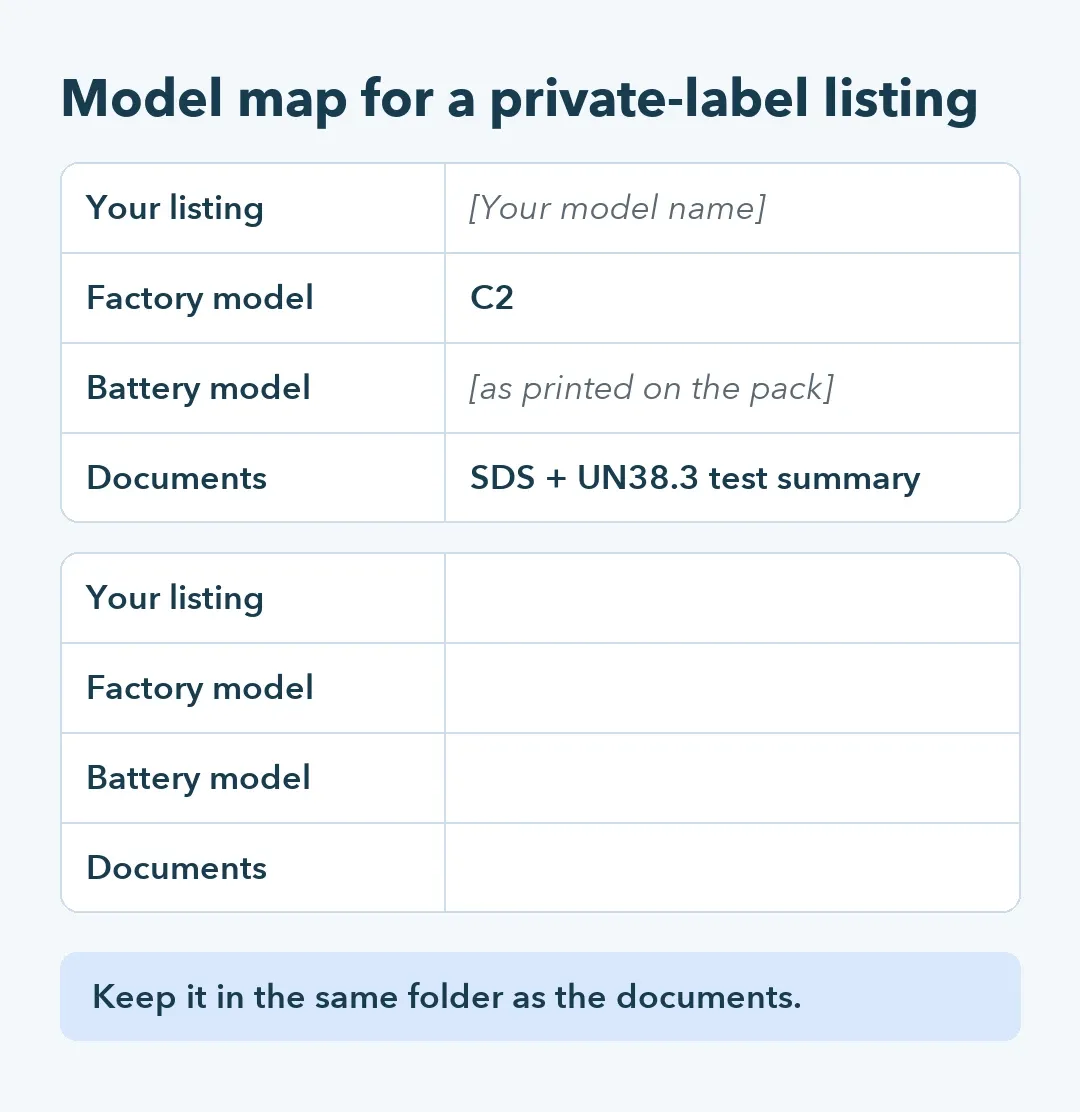
Private label adds a link the reviewer can't see. Your listing carries your brand and model name; our documents carry the factory model, such as C2, and the battery model. A map with three columns, your model, factory model and battery model, lets you answer a reviewer in one reply. It's the same map you'll need when you open a second marketplace.
6. List spare batteries on their own
A spare battery gets its own review, and a stricter one, because it travels as a battery on its own. If you sell spare batteries, give each one its own listing and its own SDS check. Filters and brushes carry no battery, so they skip this part of the review.
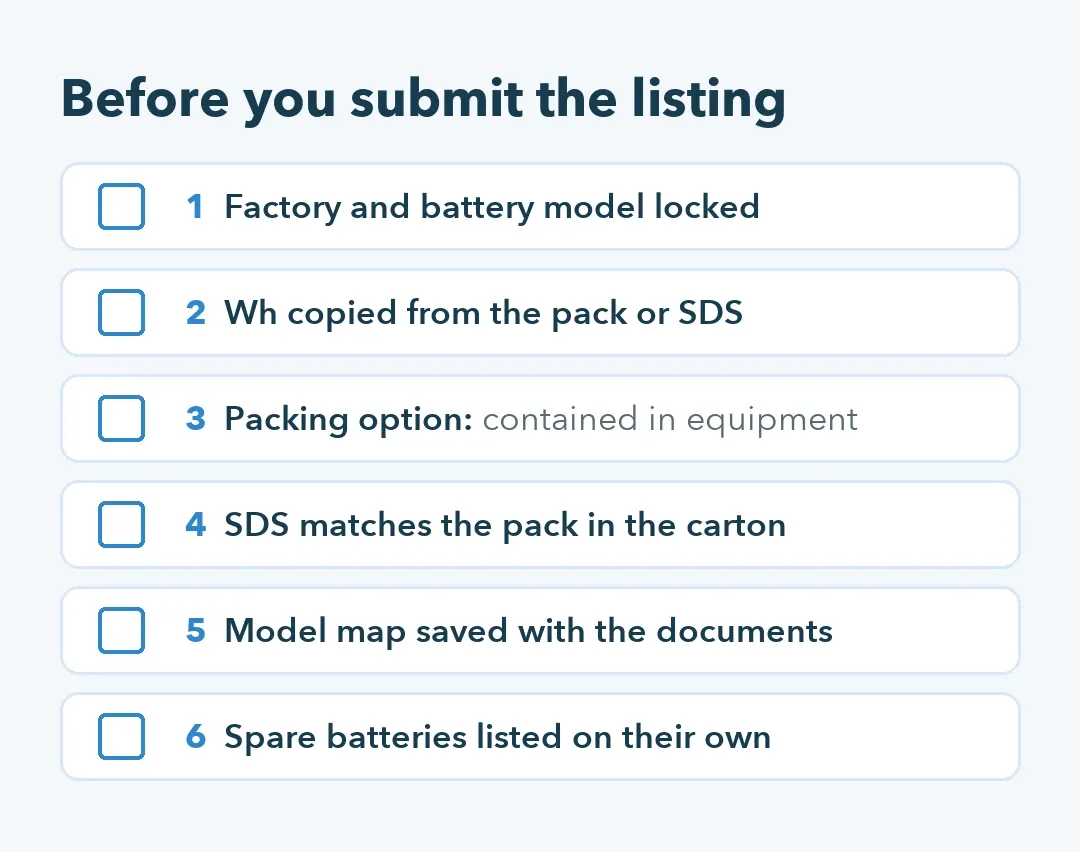
The same six checks, ready to paste into a pool robot listing brief:
Building the listing this month? Ask us for the SDS and UN38.3 test summary for your model's battery first, then fill the Wh field from them.
Written by the Silver Home R&D and quality team.